

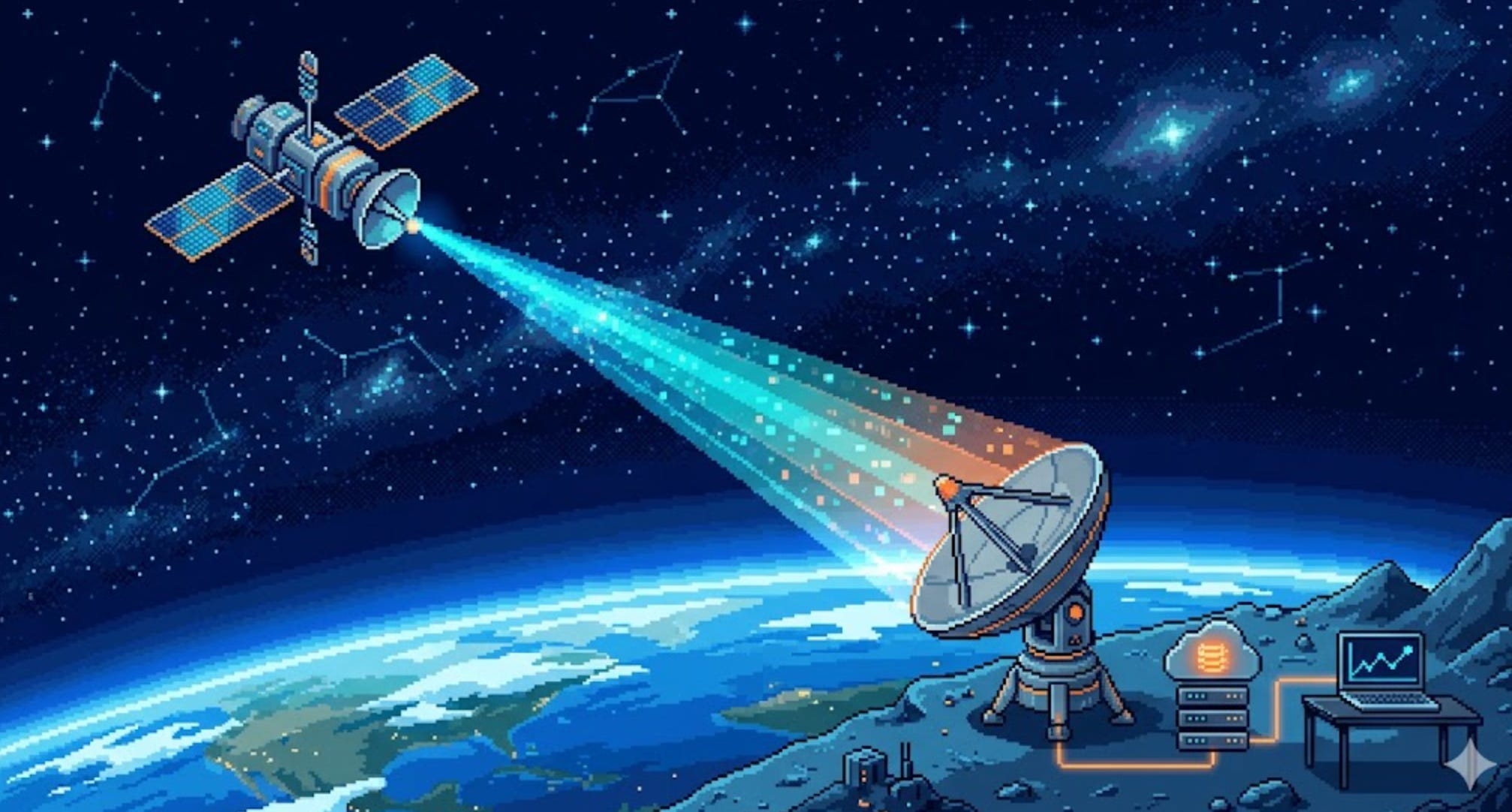
A satellite 550 km above your head just took a photo, counted a herd of cattle, or detected a methane leak. But that data is useless until it reaches a human. So how does it actually get down? How do you send a billion bits through 550 km of empty space, catch them with a dish on the ground, and turn them into a number on a dashboard? This is the complete, end-to-end story — starting from a single beep in 1957 and ending with a laser moving 25 gigabits per second between two satellites. By the end, you’ll understand the entire chain: radio waves, frequency bands, bits, antennas, ground stations, lasers, and the cloud pipeline that ties it all together.
The One Sentence That Explains Everything
Here’s the core idea, and everything else in this post is just detail layered on top:
A satellite is a sensor with a radio. It collects data, then shouts that data downward as invisible light (radio waves), and someone on the ground listens with a big ear (an antenna) and writes it down.
That’s it. Sputnik did exactly this in 1957. A $500M Earth-observation satellite does exactly this today. The only things that have changed are how much data we shout, how fast, and on what color of light.
Let’s build up from the simplest possible version to the bleeding edge.
Part 1 — What Does “Sending Data” Even Mean?
Before satellites, let’s get brutally simple. All wireless communication is the same trick: you wiggle something, and someone far away watches it wiggle.
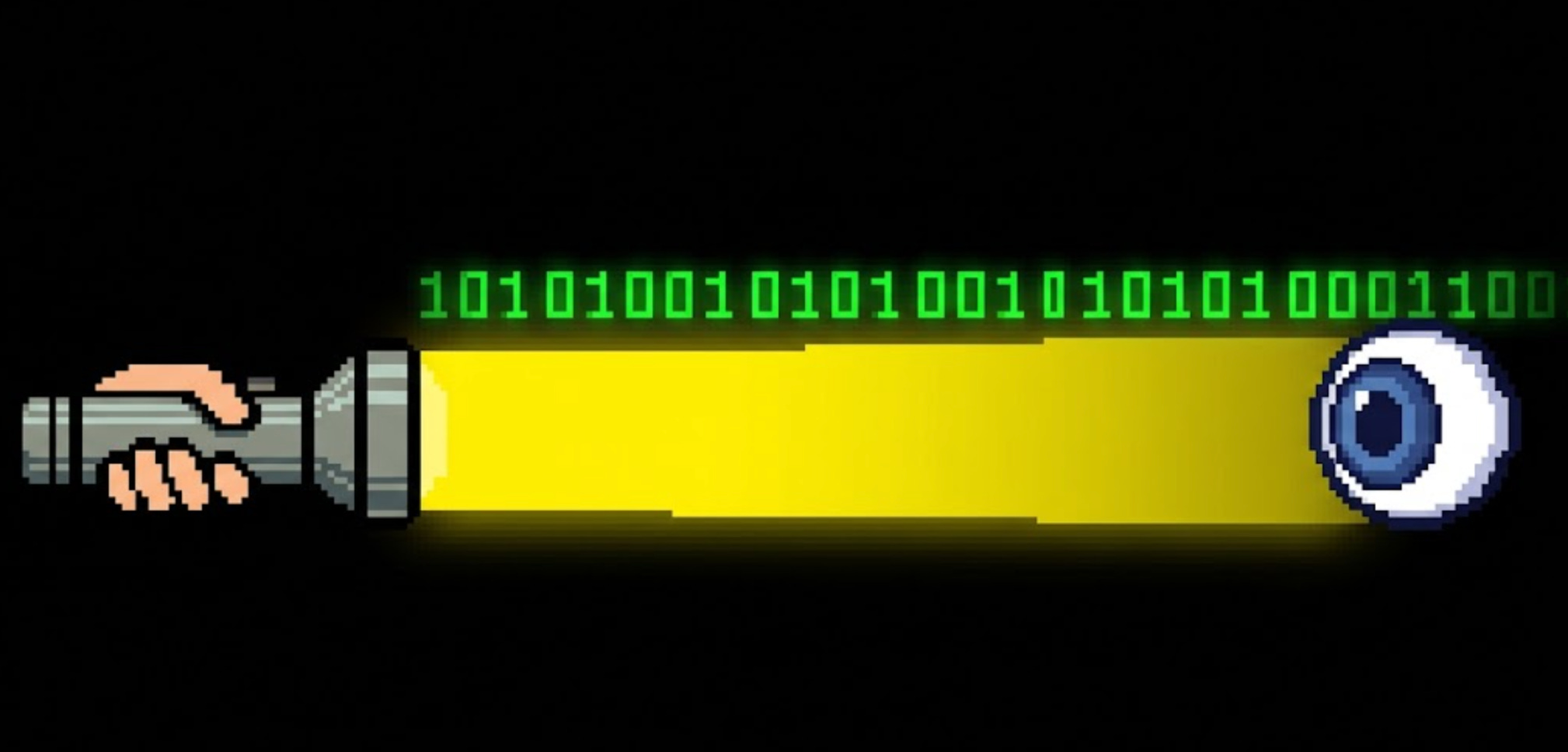
Wave a flashlight on and off — on means 1, off means 0 — and a friend across a field can read your message. That’s it. That’s digital communication. The flashlight is a transmitter, your friend’s eyes are a receiver, and the on/off pattern carries bits.

A bit is the smallest unit of information: a single yes/no, 1/0, on/off. Eight bits make a byte. A short text message is a few hundred bytes. A photo is a few million bytes (megabytes). A high-resolution satellite image is billions of bytes (gigabytes).
The whole game of getting data down from space is: how many of these 1s and 0s can I flash per second, and how reliably will the other side read them correctly? We measure that in bits per second (bps):
1,200 bps — a CubeSat beacon (a few sentences of status per minute)
1 Mbps (1 million bps) — basic satellite telemetry
1 Gbps (1 billion bps) — a modern Earth-observation downlink
100 Gbps — a laser link between two satellites
A radio doesn’t use a flashlight — it uses radio waves, which are the exact same thing as visible light, just a color your eyes can’t see. And that’s the next piece.
Part 2 — Radio Is Just Light You Can’t See
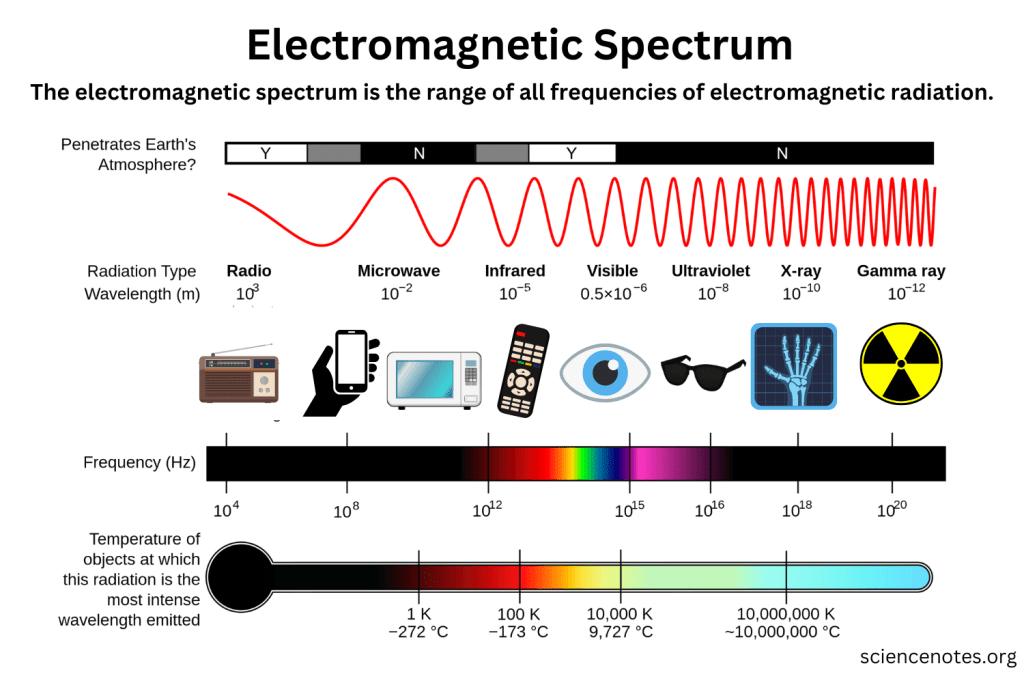
Visible light, radio waves, microwaves, X-rays — they’re all the same phenomenon: electromagnetic waves. The only difference between them is frequency: how fast the wave wiggles up and down per second, measured in hertz (Hz).
1 Hz = one wiggle per second
1 kHz = a thousand per second
1 MHz = a million per second
1 GHz = a billion per second
Radio for satellites lives roughly between 30 MHz and 40 GHz — far below the frequency of visible light (which wiggles about 500 trillion times per second). We pick radio for space because, unlike visible light, radio waves pass cleanly through clouds, rain, and the atmosphere. You can talk to a satellite in a thunderstorm. (Mostly — we’ll see the limits soon.)
Two facts about frequency drive every design decision in satellite communications, so burn them in:
Higher frequency = more room for data. A higher-frequency wave wiggles faster, so you can stuff more 1s and 0s onto it per second. More frequency = more potential speed.
Higher frequency = more fragile. Those fast, tight waves get absorbed and scattered by rain, water vapor, and obstacles. Higher frequency = worse weather performance and a narrower, harder-to-aim beam.
That tension — speed versus robustness — is why satellites don’t use just one frequency. They use bands, chosen for the job. Let’s meet them.
Part 3 — The Frequency Bands (and Why Each One Exists)
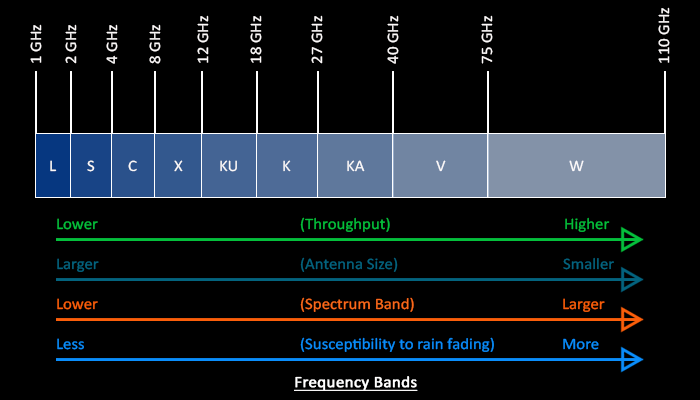
Engineers carved the radio spectrum into lettered bands. Each band is a trade between speed and robustness. Here’s the working set for satellites, from slow-and-tough to fast-and-fragile:
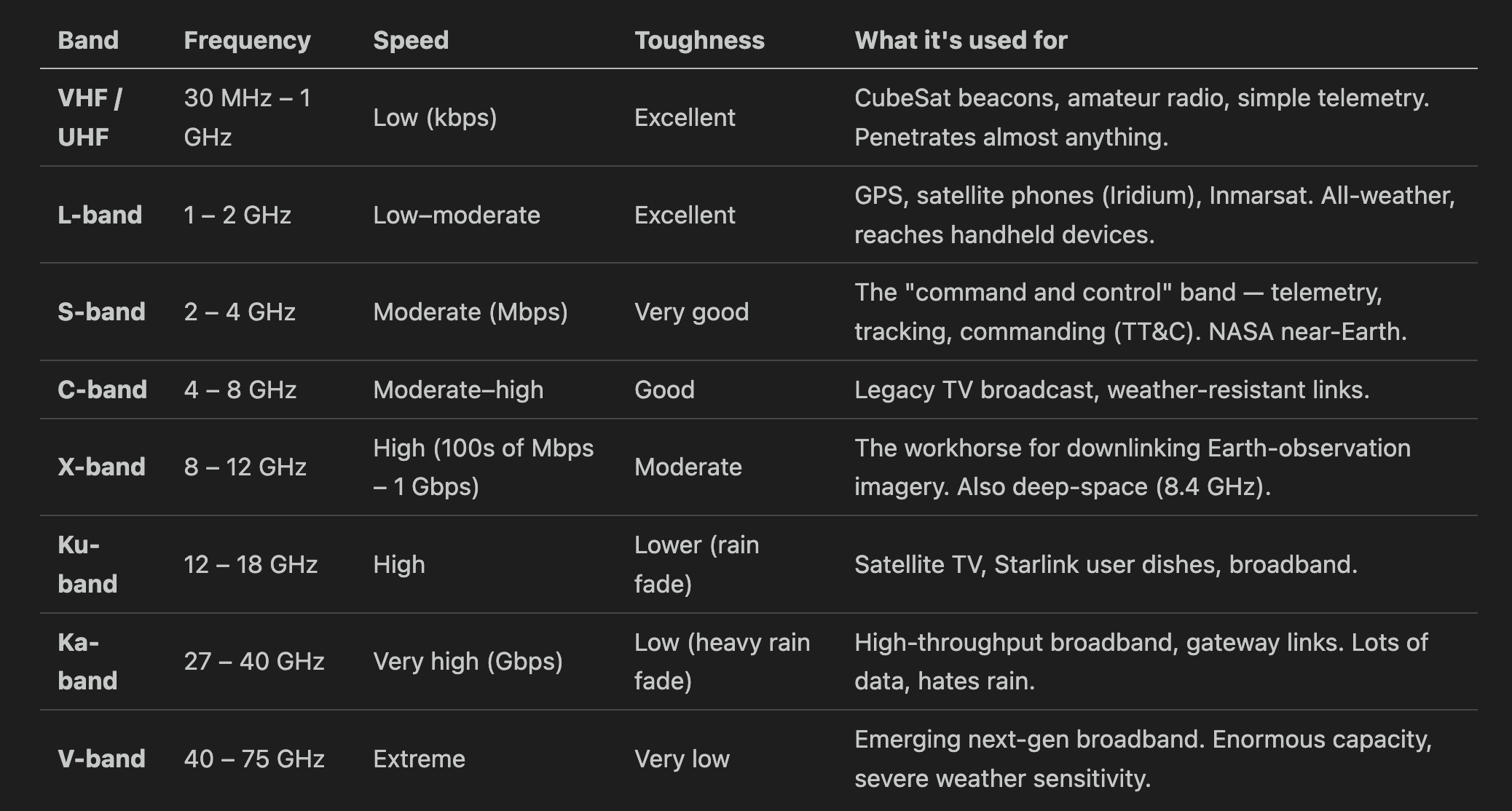
Notice the pattern marching down the table: as you go faster, the “Toughness” column gets worse. This is the whole story.
A real satellite typically uses several bands at once for different jobs:
A small S-band radio for TT&C — the satellite’s lifeline. It carries the housekeeping data (”am I healthy? what’s my battery voltage?”) and receives commands from the ground. Low data rate, but rock-solid reliable. You never want to lose this link, so you use a tough, slow band.
A fast X-band or Ka-band transmitter for the payload data — the actual product (images, sensor readings). High data rate, accepts some weather risk, because if you miss a chunk you can re-send on the next pass.
This split — a reliable slow lifeline plus a fast firehose — is universal, from a university CubeSat to a billion-dollar spy satellite.
Part 4 — How You Put Bits Onto a Wave (Modulation)
A plain radio wave is just a pure tone humming at one frequency — it carries no information. To send data, you have to modulate it: deliberately change the wave in a pattern the receiver can decode. Back to the flashlight: flashing on/off is modulation.
Radios have richer tricks than just on/off. Instead of only flashing brightness, they nudge the wave’s phase (its timing — whether the wave peaks a little early or a little late) or combine phase with amplitude (loudness). Each distinct combination is a symbol, and each symbol can stand for multiple bits:
BPSK — 2 phase positions = 1 bit per symbol. Simple, extremely robust. Used when the signal is weak.
QPSK — 4 phase positions = 2 bits per symbol. The general-purpose workhorse for tough links.
8PSK — 8 positions = 3 bits per symbol.
16-APSK, 32-APSK, 64-APSK — symbols arranged in concentric rings, combining phase and amplitude. 4, 5, or 6 bits per symbol. The dominant scheme in real satellite links today — used in DVB-S2/S2X, the standard behind virtually every modern satellite data downlink.
16-QAM, 64-QAM, 256-QAM — also combine phase and amplitude for 4, 6, or 8 bits per symbol, but arranged in a square grid. Fast and spectrum-efficient, but designed for clean linear channels — terrestrial fiber, cable, Wi-Fi.
Why APSK and not QAM for satellites? It comes down to the amplifier. A satellite’s onboard power amplifier runs near its maximum output to squeeze every watt from limited solar power. At that point it becomes nonlinear — it clips and distorts any signal whose amplitude varies widely. QAM’s square grid has symbols at very different distances from the center, so those outer symbols get crushed by the amplifier. APSK deliberately arranges symbols in rings of roughly equal amplitude, giving the amplifier far less variation to distort. You get nearly the same data rate with a transmitter that the satellite can actually run efficiently.
Here’s the intuition for the whole family: imagine sorting marbles into bins. With 4 bins (QPSK) it’s easy to tell which bin a marble landed in even if your aim is shaky. With 64 bins (64-APSK) you cram far more information per throw — but aim must be precise, and for satellites you have to arrange the bins so a slightly shaky arm (the nonlinear amplifier) doesn’t scramble everything. That’s the ring trick APSK uses.

Smart satellites switch modulation on the fly: clear sky and strong signal → step up to 32-APSK or 64-APSK for max speed. Rain or a weak pass → drop to QPSK to stay reliable. This is called adaptive coding and modulation (ACM), and it’s exactly what your home Wi-Fi does when you walk away from the router.
Part 5 — The Hard Limit: Why You Can’t Just Go Infinitely Fast
There’s a famous law that caps how fast any channel can carry data. It’s called the Shannon limit, and in plain words it says:
The speed you can achieve depends on how much spectrum you’re given and how loud your signal is compared to the background noise.
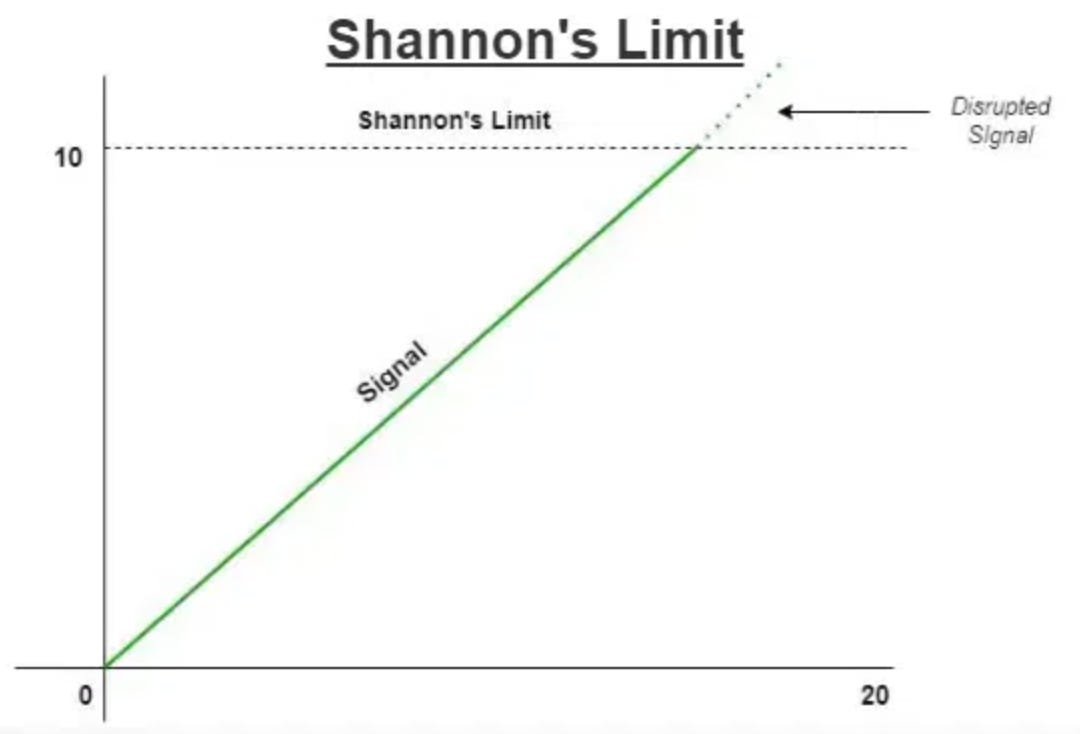
The formula, just so you’ve seen it once:
C = B × log₂(1 + SNR)
C = max speed (bits per second)
B = bandwidth (how wide a slice of spectrum you have, in Hz)
SNR = signal-to-noise ratio (how loud your signal is versus the hiss of the universe)
Two takeaways, no math required:
More bandwidth → more speed. This is why high bands (Ka, V) are prized — there’s simply more spectrum available up there to slice off.
A louder, cleaner signal → more speed. Boost your power, use a bigger antenna, or get closer, and you can push more bits.
The universe sets the noise floor — there’s always faint hiss from the cosmos, the atmosphere, and the receiver’s own electronics. Your job as an engineer is to make your signal stand out above it. That fight is called the link budget.
Part 6 — The Link Budget: Why Talking to Space Is So Hard
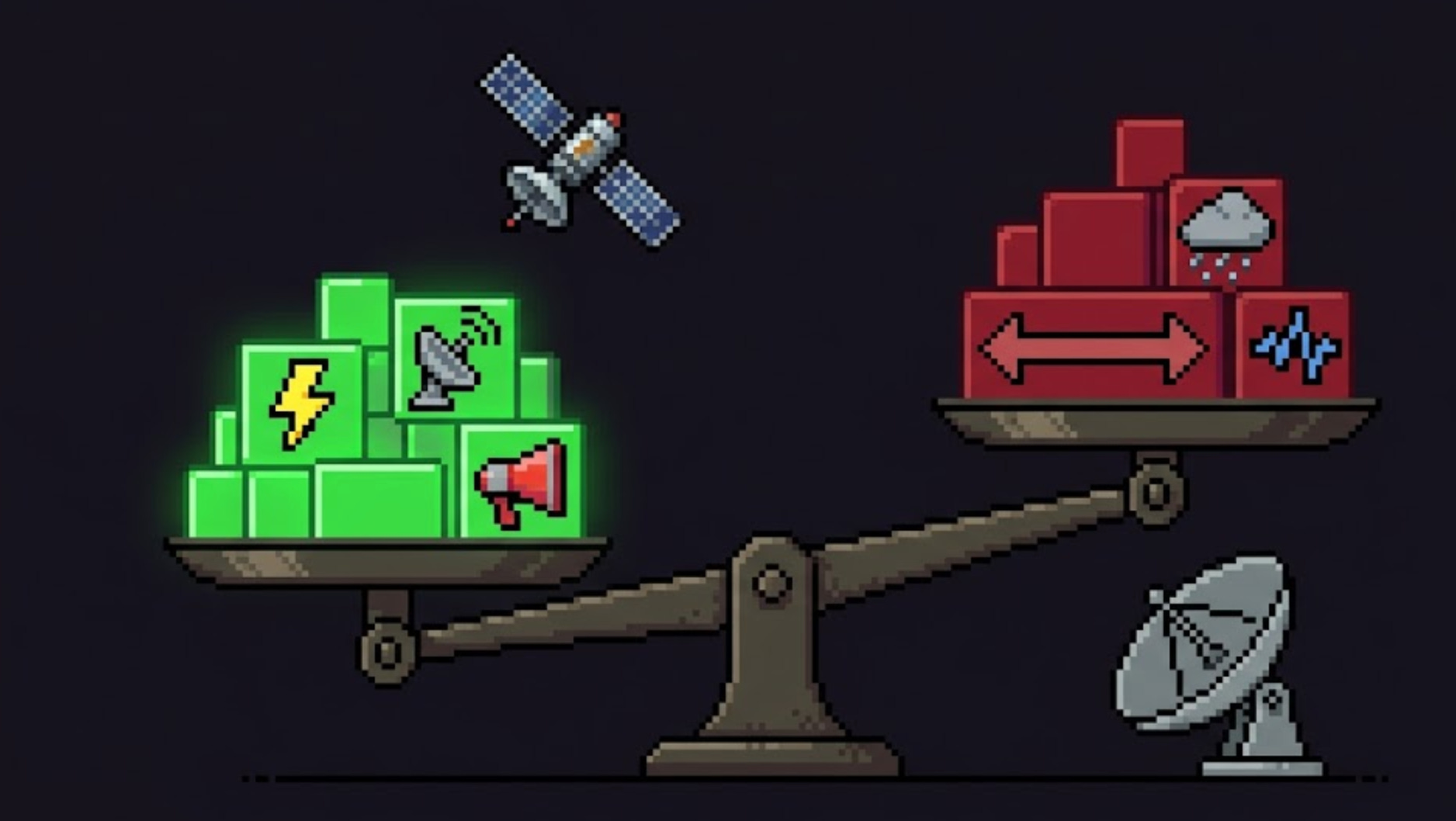
Here’s the brutal physics. Radio waves spread out as they travel, like ripples from a stone. The farther they go, the more thinly that energy is spread. By the time a satellite’s signal reaches the ground, it is breathtakingly faint — often less than a billionth of a billionth of a watt.
The energy spreads out by the square of distance. This is free-space path loss, and at 550 km on X-band it eats roughly 150 decibels — meaning the signal arriving at your dish is something like a quadrillion times weaker than it left the satellite. You’re trying to hear a whisper from someone shouting in another city.
A link budget is the accountant’s tally of every gain and loss along the path, to confirm the whisper still beats the noise. Roughly:
What helps you (gains):
Transmit power — a louder shout (but satellites have tiny power budgets — often just a few watts for the radio).
Antenna gain — focusing energy into a tight beam instead of spraying it everywhere. A dish that focuses tightly is like cupping your hands around your mouth. Bigger dish = more focus = more gain.
A big receiving dish on the ground — a bigger ear catches more of the faint signal.
What hurts you (losses):
Distance (free-space path loss) — the dominant killer, as above.
Atmosphere, rain, clouds — especially at high bands.
Pointing error — if the beam misses the dish even slightly, you lose everything.
Noise — cosmic background, the Sun, the receiver’s own electronics.
If the gains beat the losses with a margin to spare, you have a link. If not, you slow down (drop to a tougher modulation), get a bigger dish, or fly lower. Every decision in satellite comms is balancing this ledger.
Part 7 — A Short History: From a Beep to a Firehose
The whole arc of this technology is just “shout more bits, faster.” Watch it climb:
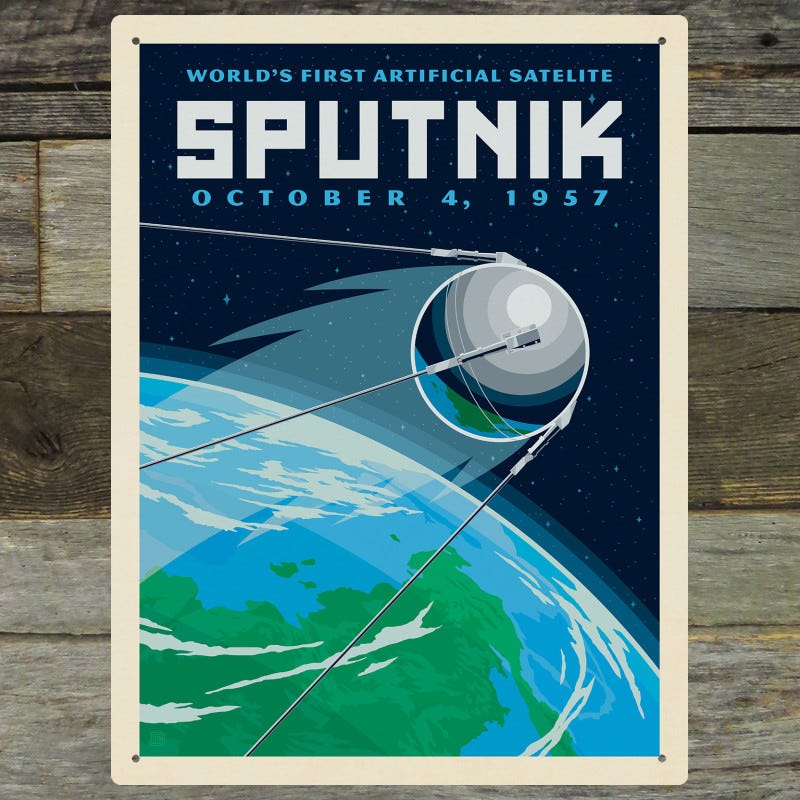
1957 — Sputnik 1. The first satellite’s entire “downlink” was a simple repeating beep at 20 and 40 MHz (VHF). It carried almost no data — the timing of the beeps hinted at temperature and pressure. Effective data rate: a few bits per minute. But it proved you could hear a machine from orbit.
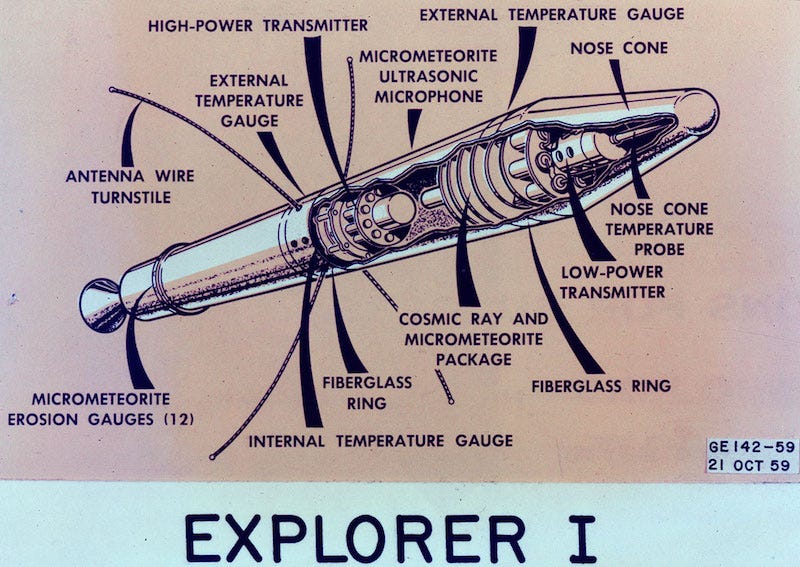
1958 — Explorer 1. America’s first satellite carried a Geiger counter and discovered the Van Allen radiation belts — sending science data down on a low-rate radio link. The satellite as a sensor was born.
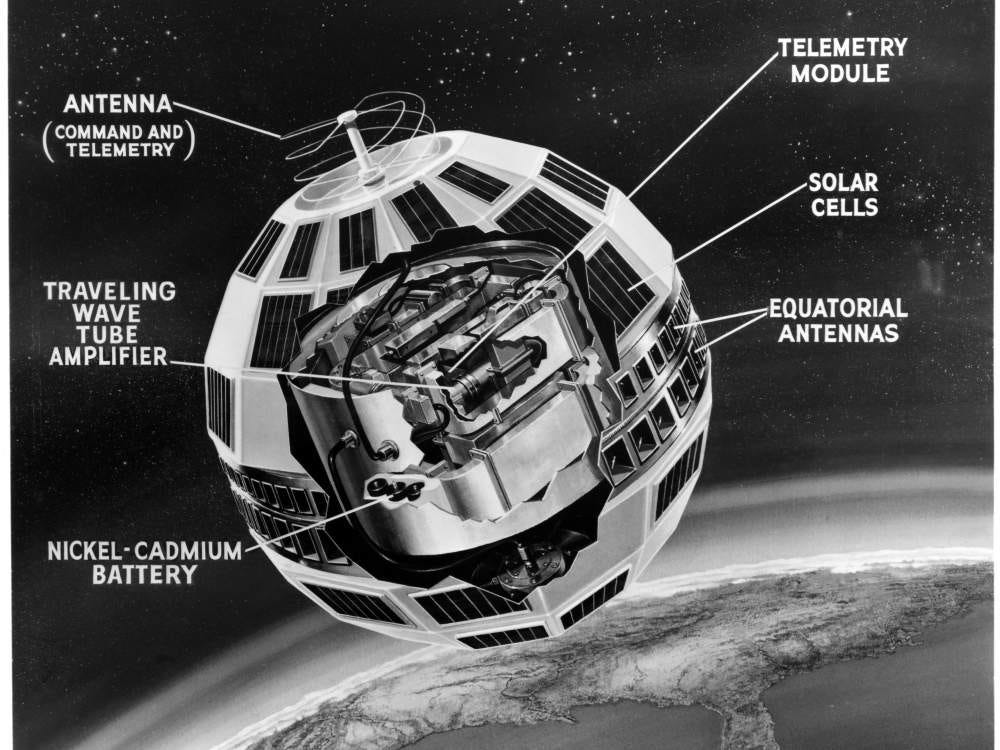
1962 — Telstar 1. The first satellite to relay live television across the Atlantic. Suddenly the link wasn’t a beep — it was a continuous, high-value data stream. The age of satellites as infrastructure began.
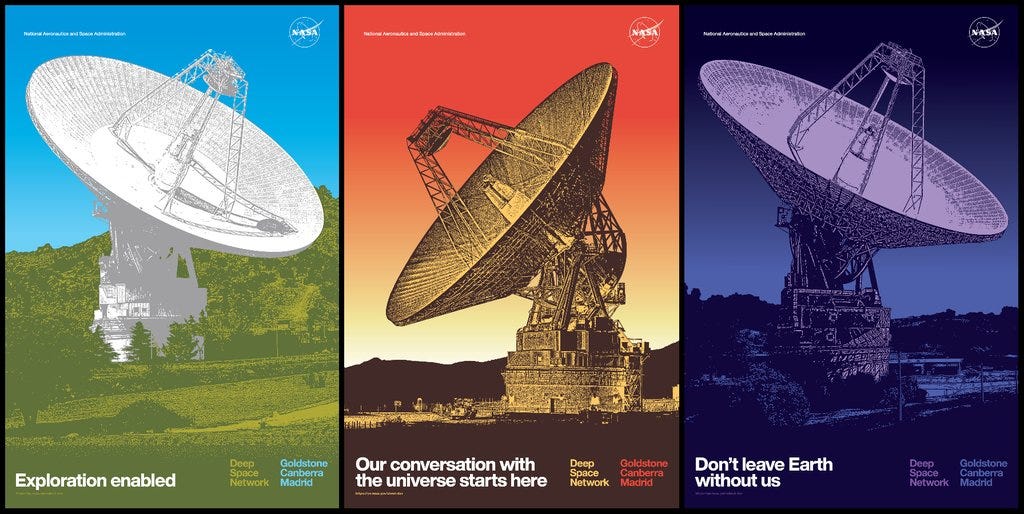
1960s–70s — NASA’s Deep Space Network. To hear whispers from probes near other planets — billions of km away — NASA built 70-meter dishes in California, Spain, and Australia. The lesson: when the signal is impossibly faint, build an enormous ear and slow the data rate to a crawl. Voyager still talks to us this way today, at a few hundred bits per second from 24 billion km out.
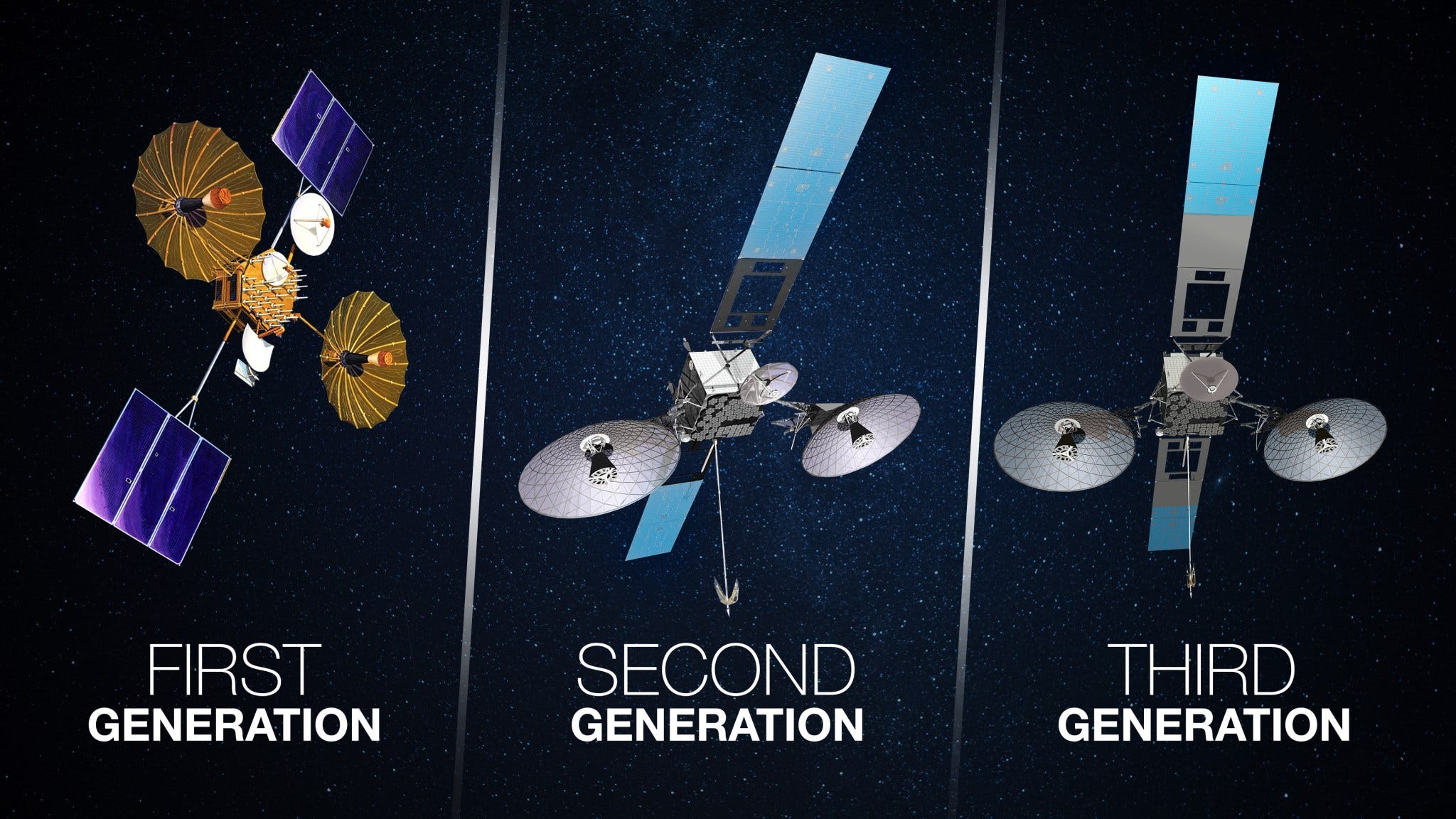
1983 — TDRS relay satellites. A clever fix for a stubborn problem (covered in Part 9): NASA put relay satellites in high orbit so spacecraft could talk to the ground continuously instead of only during brief overhead passes.
2000s — X-band Earth observation. Commercial imaging satellites standardized on X-band to downlink hundreds of megabits per second, dumping a full pass of imagery in minutes.
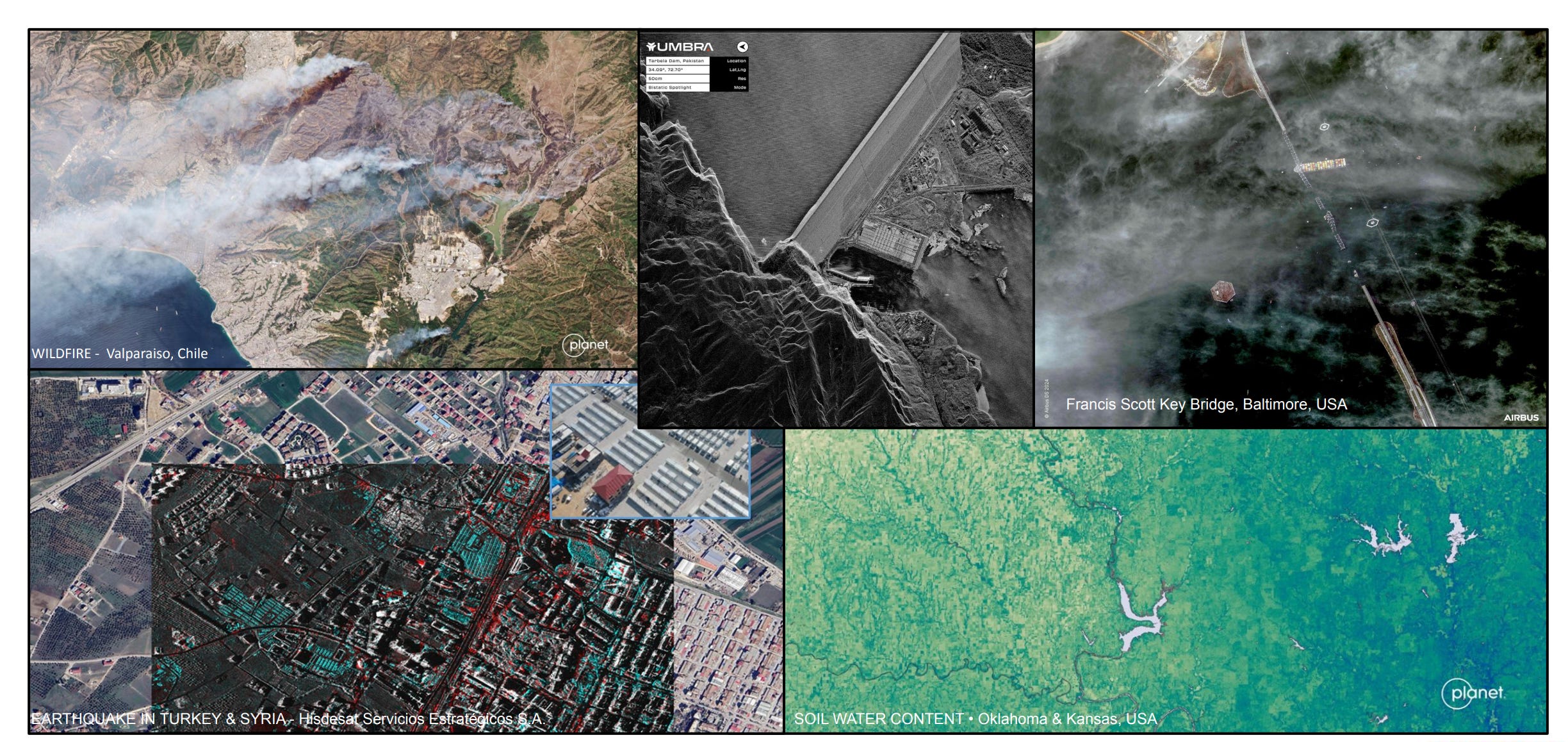
2010s — Ground-station-as-a-service & mega-constellations. Companies stopped building their own dishes and started renting them (more on this in Part 8). SpaceX’s Starlink began launching thousands of satellites.
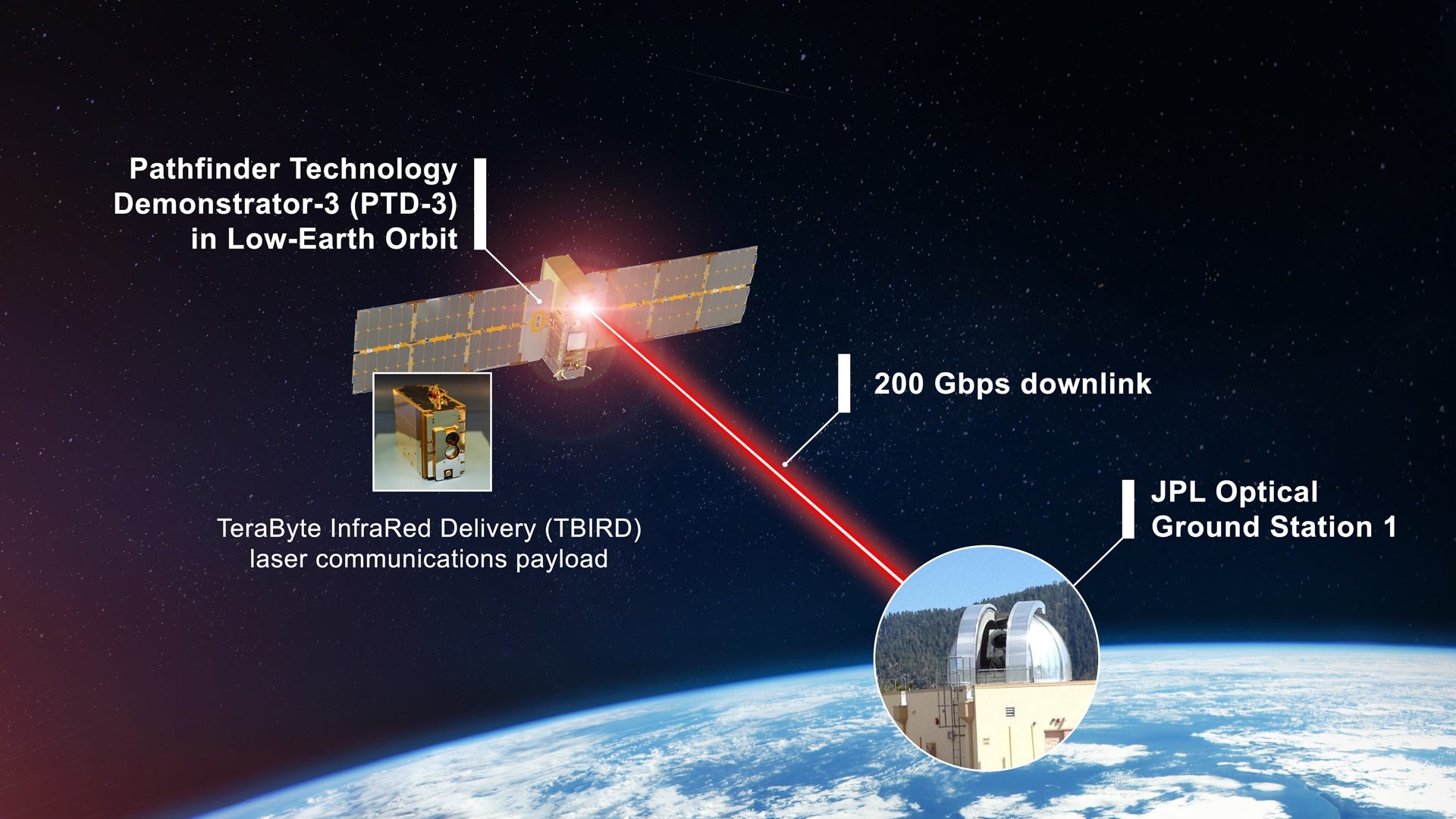
2020s — Lasers. The newest leap, and the most dramatic: instead of radio, satellites now talk to each other with infrared lasers at tens of gigabits per second. We’ll dig into this in Part 10 — it’s the most exciting change in the field right now.
The throughline: from a few bits per minute (Sputnik) to 200 billion bits per second (Starlink laser mesh) in under 70 years. That’s roughly a trillion-fold improvement.
Part 8 — The Ground Segment: Catching the Signal
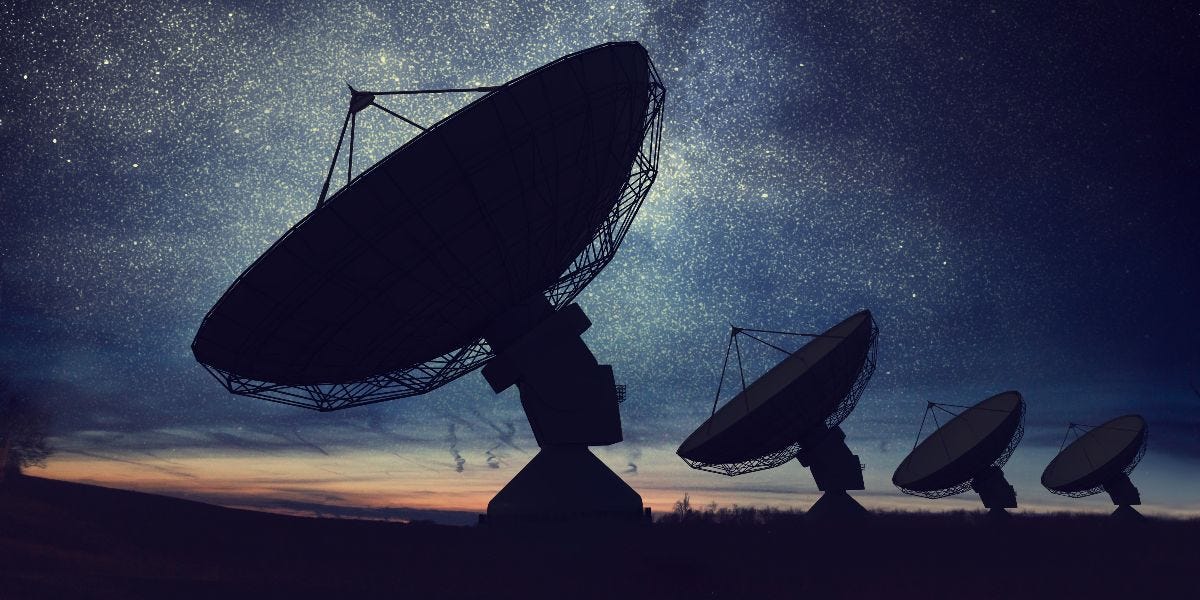
Up to now we’ve been in orbit. Now the signal arrives at Earth — and the ground side is half the system. The collection of antennas, receivers, and computers that talk to satellites is called the ground segment or ground station.
A ground station does four things:
Tracks the satellite — a LEO satellite races across the sky at ~7.5 km/s, so the dish must physically slew to follow it, like tracking a fast bird with a telescope.
Receives the faint downlink and amplifies it.
Demodulates and decodes — turns the wiggling wave back into clean 1s and 0s, and uses error-correction (next paragraph) to fix any bits the noise corrupted.
Transmits commands up (the uplink), so operators can task the satellite.
Error correction deserves a word. Because the signal is so faint, some bits will arrive wrong. Engineers fight this by sending extra redundant bits using schemes with names like Reed-Solomon, convolutional, turbo, and LDPC codes — a bit like sending “the password is TANGO — that’s T-as-in-Tom, A-as-in-Apple…” so the receiver can reconstruct the message even if static eats part of it. This forward error correction (FEC) is the difference between a usable link and garbage.
The 10-minute problem
Here’s a frustration unique to LEO. A low-orbit satellite is only above the horizon of any given ground station for about 5–10 minutes per pass, and it only gets a handful of useful passes per day over one site. The rest of the time, the satellite is flying over an ocean or a country with no dish, unable to talk to anyone.
So a satellite might spend 90 minutes collecting gigabytes of data, then get a 7-minute window to dump all of it. Miss the window, or fill the buffer, and you’re stuck. This single constraint shapes almost every design choice in LEO — and it’s why two solutions exist: rent more ground stations, or relay through other satellites (Part 9).
Ground-station-as-a-service
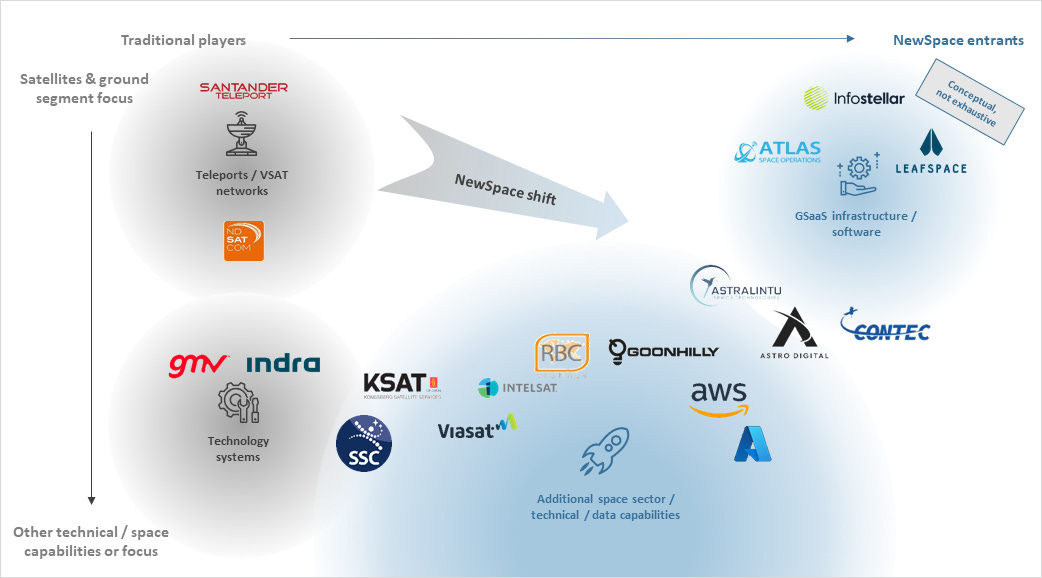
You used to have to build your own dishes around the world — hugely expensive. Now you rent them by the minute. Companies like AWS Ground Station and KSAT operate networks of dishes across the globe (including high-latitude sites that see polar-orbiting satellites on nearly every pass) and charge per pass. A startup can downlink from a satellite without owning a single antenna — the data lands directly inside a cloud account, ready to process. This “pay-per-pass” model is one of the quiet revolutions that made small space companies viable.
Part 9 — Two Ways to Beat the 10-Minute Problem
If a satellite can only talk for a few minutes per pass, how do mega-constellations and crewed stations stay connected all the time? Two strategies:
Strategy A — Store-and-forward (the patient way)
The satellite simply buffers data on board like a postal truck collecting mail, then dumps it the next time it flies over a ground station. The data arrives late — maybe 90 minutes later — but for many jobs that’s perfectly fine. A soil-moisture sensor or an asset tracker in the Arctic doesn’t need its reading delivered in milliseconds; “within the next hour or two” is great.
This is cheap, simple, and power-light. It’s the bread-and-butter mode for low-data IoT satellites — including the kind of remote-sensor connectivity small constellations are built around. The trade is latency: your data is always a bit stale.
Strategy B — Relay through other satellites (the instant way)
Instead of waiting to fly over a ground station, the satellite hands its data to another satellite that can see a ground station right now — or that can pass it along a chain until it reaches one. The data hops across the sky and comes down continuously, with no waiting.
NASA pioneered this in 1983 with TDRS — big relay satellites in high geostationary orbit that can always “see” both a low-orbit spacecraft and a ground station, acting as a mirror in the sky. The Space Station and Hubble use TDRS to stay connected almost 100% of the time.
The modern, commercial version of Strategy B is the most exciting development in the field — and it uses lasers.
Part 10 — Lasers: The Game-Changer (Optical Inter-Satellite Links)
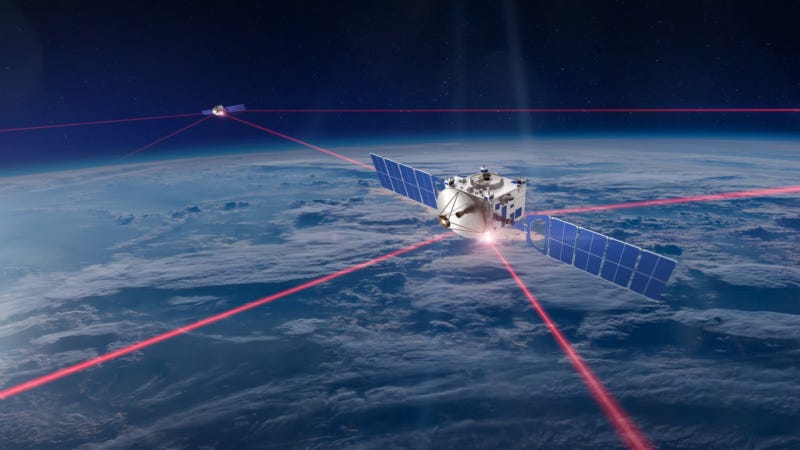
For 60 years, satellites talked with radio. Now they’re switching to light — specifically, infrared lasers, the same 1,550 nm wavelength that carries the internet through fiber-optic cables under the ocean. A laser link between two satellites is called an Optical Inter-Satellite Link (OISL), or just “laser ISL.”
Instead of broadcasting radio in a wide cone, a satellite points a pencil-thin beam of laser light at another satellite and holds it steady while both race around the planet. Why bother? Because light at that frequency can carry staggeringly more data:

That’s a thousands-fold speed jump, with no spectrum license needed and near-impossible interception. So what’s the catch?
Aiming. This is the brutal engineering challenge, called Acquisition, Tracking, and Pointing (ATP): you must hold a beam thinner than a pencil on a target moving at 7.5 km/s thousands of km away. Miss by a hair and the link drops. Solving ATP reliably, at low cost, is what took so long — and it’s now finally solved at commercial scale.
What changed in 2024–2026
This stopped being a lab experiment and became something you can buy:
Starlink’s laser mesh — roughly 9,000 Starlink satellites are stitched together with lasers, moving about 42 million gigabytes per day between them, with intra-constellation links up to 200 Gbps. Traffic crosses entire oceans satellite-to-satellite, never touching the ground — which actually makes it ~40% faster than undersea fiber, because light travels faster in vacuum than in glass and takes a straighter path.
SpaceX now sells the “Starlink Mini Laser” to other companies’ satellites — a terminal that does 25 Gbps over 4,000 km and lets any equipped satellite plug into the Starlink mesh as an external node. Order it, bolt it on, and your satellite gets near-continuous global connectivity without owning a single ground station. Early adopters (as of 2026) include Muon Space and the orbital-data-center startup StarCloud.
Independent vendors sell standalone laser terminals for any mission — Mynaric’s CONDOR (up to 100 Gbps), Tesat’s SCOT family (from a 1.7 kg, ~35 W small-sat unit up to constellation-scale terminals reaching 8,000 km). You don’t need SpaceX to go optical.
The market for these terminals is growing ~20% a year — the whole industry is racing to replace radio backbones with light.
The one weakness of lasers
Laser links between satellites are flawless — there’s no air up there to scatter the beam. But a laser link from a satellite down to the ground has a problem radio doesn’t: clouds block light. You can’t shine a data laser through a thunderstorm. The fix is site diversity — build optical ground stations in several dry, clear-sky locations (deserts, high plateaus) so at least one always has a clear view. For satellite-to-satellite links, though, lasers are simply winning.
Part 11 — Once It Hits the Ground: The Data Pipeline
The bits have made it to Earth — through radio or laser, via a ground station or a relay. But raw bits aren’t a map, an alert, or a chart yet. Now begins the data pipeline, the part most people never think about. Here’s the journey from “bits on a dish” to “answer on a screen”:

Step 1 — Demodulate & decode. The ground station’s receiver turns the wiggling signal back into 1s and 0s and runs error-correction to fix corrupted bits. Out comes a clean bitstream.
Step 2 — Frame & packet reassembly. Space data is chopped into standardized packets (the global standard is CCSDS — think of it as TCP/IP for spacecraft). The pipeline reassembles these packets in order, like reassembling a torn-up letter, discarding duplicates and flagging gaps.
Step 3 — Decompress & calibrate. Data is usually compressed on the satellite to save precious downlink bandwidth, so it’s decompressed here. Then it’s calibrated — raw sensor counts become real-world units (a number becomes “412 parts-per-million of methane” or “this pixel is reflecting this much infrared”).
Step 4 — Convert to a usable format. The data is written into standard files: imagery becomes GeoTIFF (a picture that knows its own GPS coordinates), scientific arrays become HDF5 or Zarr (formats built for huge multi-dimensional datasets), telemetry becomes rows in a database.
Step 5 — Store in the cloud. Files land in cloud object storage (e.g. Amazon S3). Because ground-station-as-a-service drops data straight into your cloud account, this can happen seconds after the pass.
Step 6 — Process & analyze. Now the value gets created. This is where the AI we covered in the previous post runs — detecting ships, classifying land cover, flagging changes, spotting anomalies. (Increasingly some of this runs on the satellite before downlink, to shrink what has to be sent — but the heavy lifting still often happens here on the ground.)
Step 7 — Deliver. The finished product reaches the human: a dashboard showing a fleet of assets, an API another company’s software pulls from, an alert texted to a responder, a report filed for regulators. This is the only step the customer ever sees — and everything in this entire post existed to make it possible.
Part 12 — Latency: Why “Real-Time” From Space Is Mostly a Myth
A natural assumption: space is far, so the delay must come from distance. Wrong. Radio waves travel at the speed of light, so the actual flight time of the signal is tiny:
To a LEO satellite (550 km): about 1.8 milliseconds each way. Blink and you’ve missed it 150 times over.
To a GEO satellite (35,786 km): about 120 milliseconds each way — noticeable on a phone call, but still under a quarter second.
So if the signal arrives in milliseconds, why does satellite data often reach you hours late? Because the delay isn’t the flight — it’s the waiting and the processing:
Waiting for a pass — with store-and-forward, the data sits on the satellite until it flies over a ground station. That’s the big one: minutes to a couple of hours.
Processing on the ground — decoding, calibrating, running analytics: seconds to minutes.
Scheduling and queuing — your pass competes with everyone else’s for dish time.
This is exactly why lasers and relay networks matter so much: they kill the “waiting for a pass” delay. A satellite on the Starlink laser mesh doesn’t store-and-forward — it hands data off right now and it comes down continuously. That’s the difference between learning about a wildfire in 20 minutes versus 20 seconds.
The rule of thumb:
Need it cheap and “within an hour or two” is fine? → Store-and-forward on a simple radio. (Most IoT, environmental monitoring, asset tracking.)
Need it now? → Pay for a laser mesh or relay network. (Disaster response, defense, live broadband.)
Part 13 — Two Complete Journeys, End to End
Let’s tie the whole chain together with two real examples. Follow every hop.
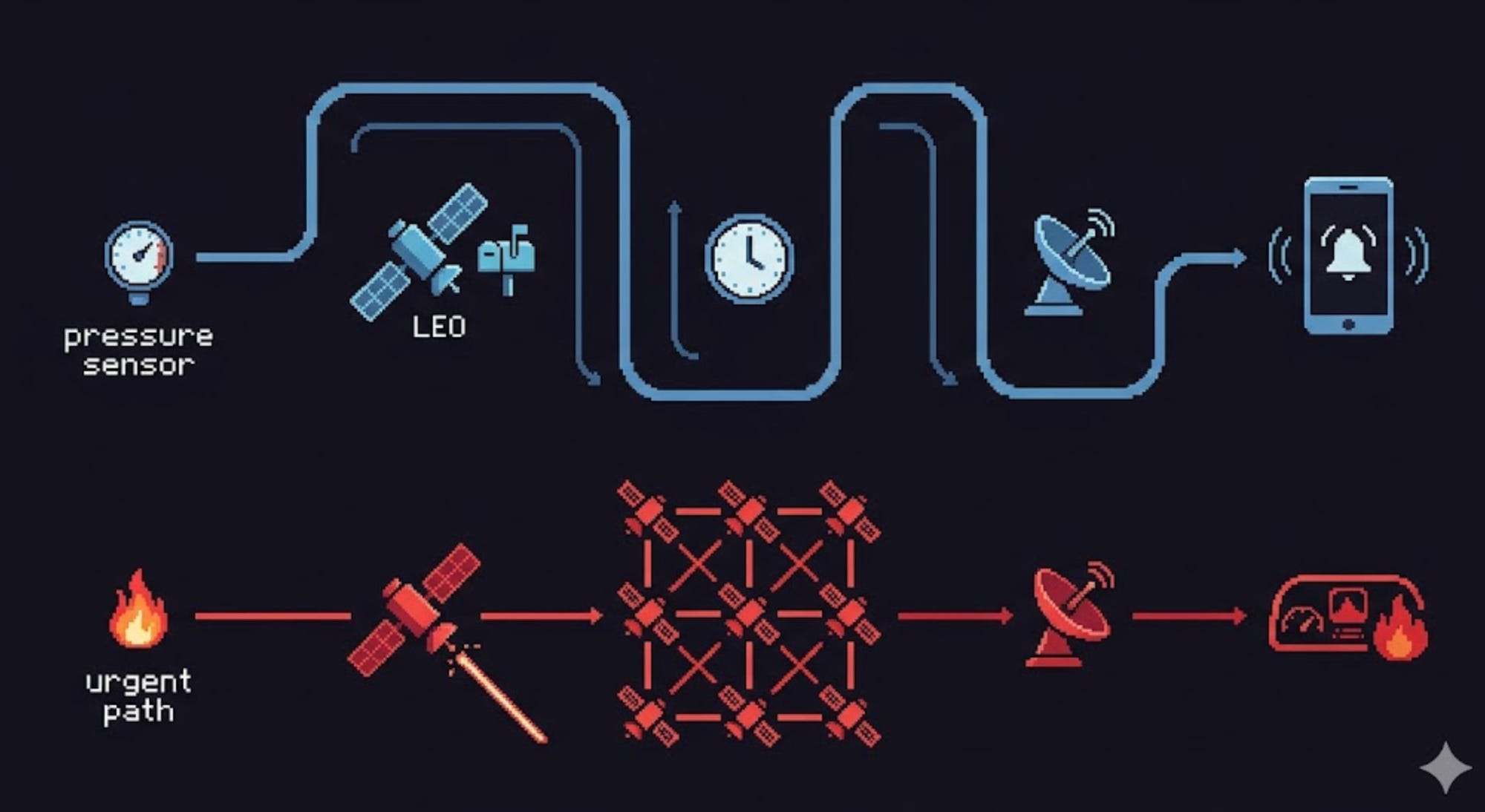
Journey A — A remote sensor reading (the patient path)
A solar-powered sensor on a pipeline in northern Canada measures pressure. It packages a few dozen bytes.
It transmits that tiny message up on a tough, low band (UHF/L-band) to a small satellite passing overhead.
The satellite stores the reading in onboard memory — it’s currently over the Arctic with no ground station in view.
~70 minutes later, the satellite flies over a high-latitude ground station and dumps its buffered readings in a quick downlink.
The ground-station-as-a-service provider drops the raw data straight into a cloud bucket.
The pipeline decodes, calibrates (”pressure = 642 psi”), and writes a database row.
A rule fires: pressure dropped 15% → anomaly. An alert texts the operations team.
Total time from sensor to text message: ~75 minutes. Cost per reading: pennies. Perfectly adequate — a slow pressure leak doesn’t need millisecond response.
Journey B — A wildfire detection (the urgent path)
An Earth-observation satellite’s infrared sensor captures a frame and, running AI onboard, spots a thermal hotspot consistent with a new fire.
Instead of waiting for a ground-station pass, it fires its laser terminal and hands the alert to a neighboring satellite on the mesh.
The alert hops across two more satellites and comes down at an optical ground station with clear skies — seconds later.
It lands in the cloud, gets cross-referenced with a map, and pushes to a fire-agency dashboard with coordinates.
Total time from detection to dashboard: under a minute. The laser mesh collapsed what used to be a 20-minute wait into near-instant.
Same fundamental chain — sensor, radio/laser, link, ground, pipeline, human — but different choices at each stage produce wildly different latency and cost. That’s the entire art of the field: matching the chain to the job.
Part 14 — The Future: An Always-On Nervous System Around Earth
Where is all this heading? Toward erasing the seams entirely:
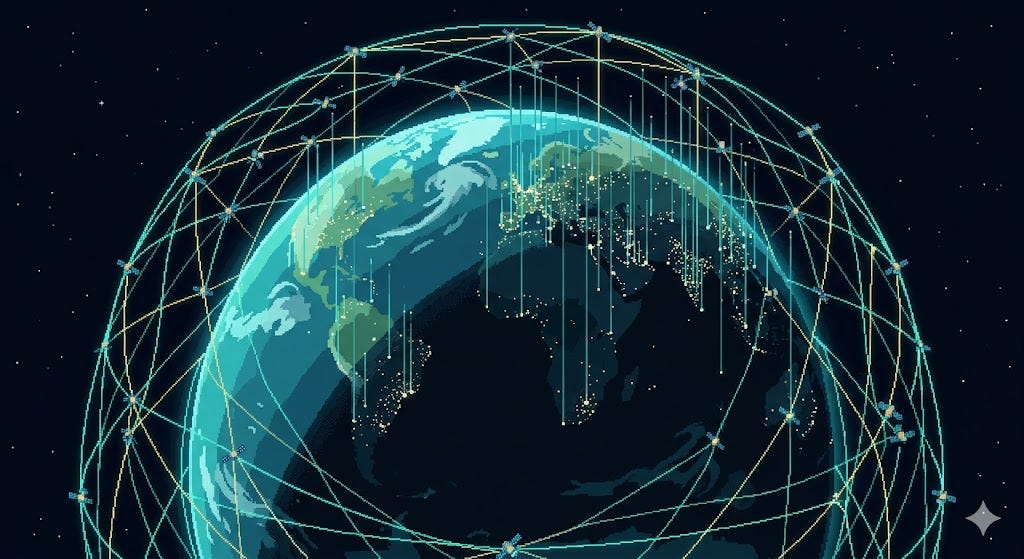
Optical everywhere. Radio backbones give way to laser mesh as the default. Satellites become routers in a giant orbital internet, and the “wait for a pass” delay disappears for good.
Direct-to-cloud. Data flows from satellite to ground station straight into a cloud account and through an automated pipeline with zero human touch — analysis-ready products seconds after capture.
Process in orbit, send only answers. As on-board AI matures (see the edge-AI post), satellites stop downlinking raw data and downlink decisions — “fire at these coordinates,” not a gigabyte of imagery. This sidesteps the downlink bottleneck entirely.
Direct-to-device. Your unmodified phone talks straight to a satellite (already beginning with Starlink and others), erasing the line between “cellular” and “satellite.”
Inter-satellite autonomy. Constellations coordinate peer-to-peer — sharing workloads, rerouting around failures, and tasking each other without waiting for a human on the ground.
The endpoint is a planet wrapped in an always-on data fabric: every remote asset, ship, plane, sensor, and field connected, with information flowing continuously instead of in stolen 10-minute windows.
Summary: The Whole Chain in One Breath
Let’s reassemble everything you just learned, start to finish:
Data is just bits — 1s and 0s, measured in bits per second.
Bits ride on radio waves — invisible light, chosen by frequency band for a trade between speed and robustness: low bands are slow but tough, high bands are fast but fragile.
You put bits on the wave by modulation — more bits per symbol means more speed but less tolerance for noise.
The Shannon limit caps your speed based on bandwidth and signal strength, and the link budget is the ledger of gains and losses that decides whether the whisper from orbit beats the noise.
A satellite uses several bands at once — a tough slow lifeline (S-band TT&C) plus a fast firehose (X/Ka-band payload).
The ground station catches the signal, but a LEO satellite is only visible ~10 minutes per pass — the defining constraint.
Two ways to beat it: patient store-and-forward (cheap, late) or instant relay/laser mesh (fast, premium).
Lasers now move tens of gigabits between satellites, license-free — the biggest leap in the field.
On the ground, a pipeline decodes, calibrates, formats, stores, analyzes, and delivers the data to a human.
Latency is dominated by waiting, not flight time — which is exactly why lasers and relays change everything.
A satellite collects data that nobody on the ground could otherwise see. But it’s only as valuable as the chain that gets that data into a human’s hands — through the right band, the right link, the right pass, and the right pipeline.
The sensor sees. The link carries. The pipeline understands. The human acts. That’s how data gets down from space.
This is the third post in our series on how space technology actually works — following What Is a Satellite? and Brains in Orbit: Edge AI on Satellites.
Up next: how a satellite knows where it is and where it’s pointing.